Documentation Of Module 3
Computer Controlled Cutting
-
The Third Module Of Our Fablab Was of Computer Controlled Cutting Which Includes
Understanding Of Designing Softwares Like AutoCad, Fusion
360 And Laser-Cad
-
At The Very First Day, I Was Introduced To All The Basic Designing Concepts. I Got My Day-1 Assignment To Explore About Parametric Designs.
It Was Some-Kind Of Hectic Task For Me But I Managed To Tackle It.
-
Parametric design is a design method in which features, such as building elements and engineering
components, are shaped based on algorithmic processes rather than direct manipulation. In this approach,
parameters and rules establish the relationship between design intent and design response.
-
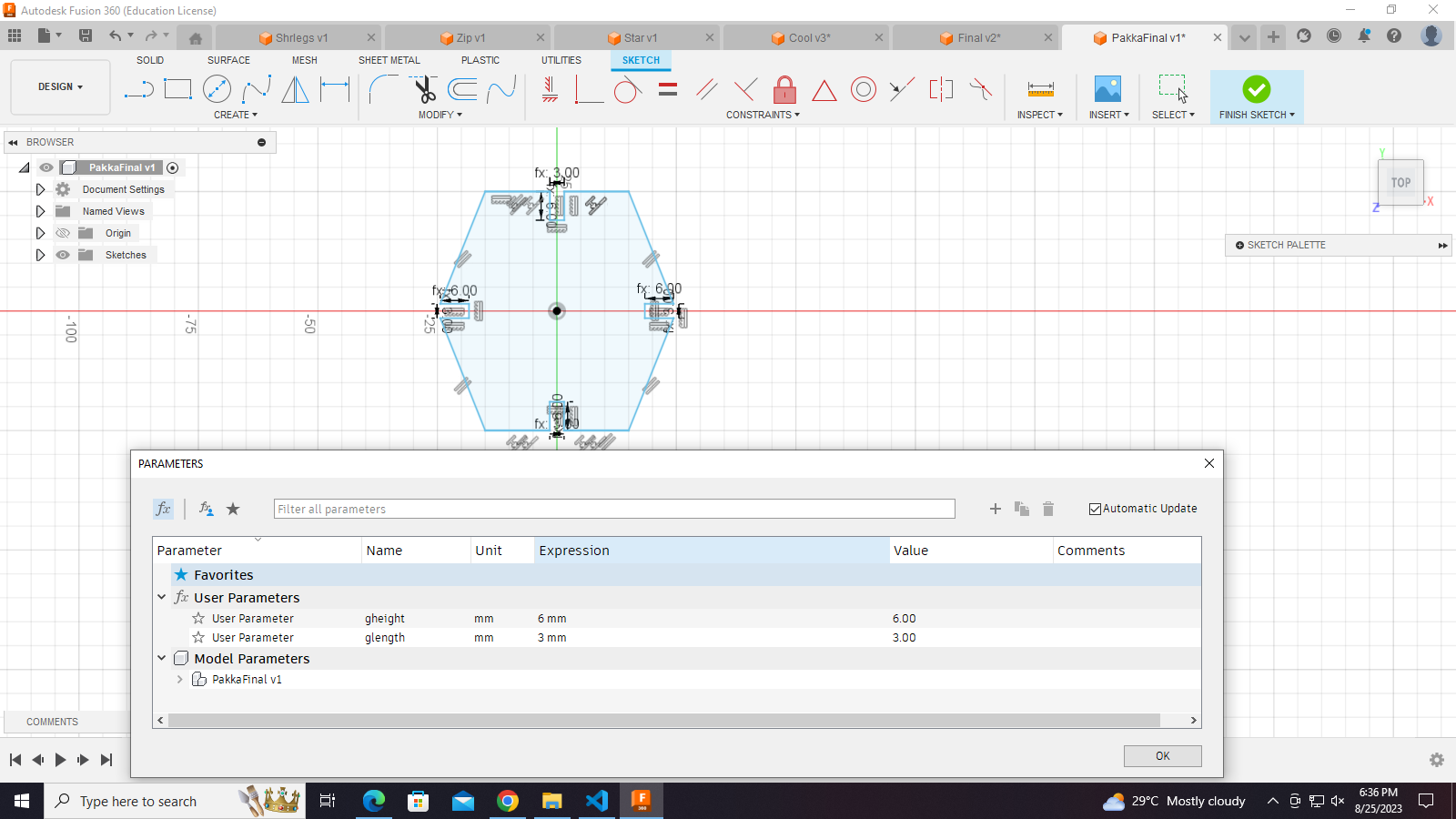
I made a parametric design in which I gave it various parameters like glength, gheight, etc. The aim of
making parametric designs is that we can change it anytime according to our requirements with the help of
parameters.
-
Group Assignment:
- Aim: To perform or find kerf calculation.
- Task:
- Make a parametric design and note down its dimensions.
- Export the design in .dxf format and upload it on Laser-Cad software.
- Take proper precautions before starting the laser cutter.
- Give command to the laser cutter to cut the design.
- Engrave the design from the cardboard and measure its dimensions.
- Summarize the dimensions before cutting and after cutting.
- Outcome: After cutting, we came to know about the laser cutter's power, speed,
accuracy and extent of thickness.


-
Individual Assignment: I was given the task to make some parametric design and
join them in such a way that they should make an assembly. Assembly means
joining the parts in such a way that it represents some kind of ordered
geometry.
- Task: To make an assembly
- Make a parametric design.
- Note down its dimensions.
- Export it in .dxf or .dwf format.
- Upload it on the Laser-Cad software.
- Make the required changes on the Laser-Cad workspace.
- Copy the objects if you want multiple copies to assemble.
- Lastly, check that the USB port is properly connected with the laser cutter otherwise it will
provide a communication error. Click on download and the file will be downloaded to the machine.
- Operate the laser cutter properly by giving relevant instructions.
- Collect the design and engrave it to make the required assembly.


-
Laser-Cad
- Laser-Cad is a computer software in which we can import our .dxf or .dwf
file and give commands to the laser cutter as required. Once our modifications are over, we can
download the file and the file will be uploaded to the laser cutter.
- We can change the speed, power, etc. of the laser in order to get our design cut properly. Specific
materials have fixed values of speed and power. For example, cardboard 6.9mm (speed=35mm/s and
power=70%).
-
Cutting process by laser cutter
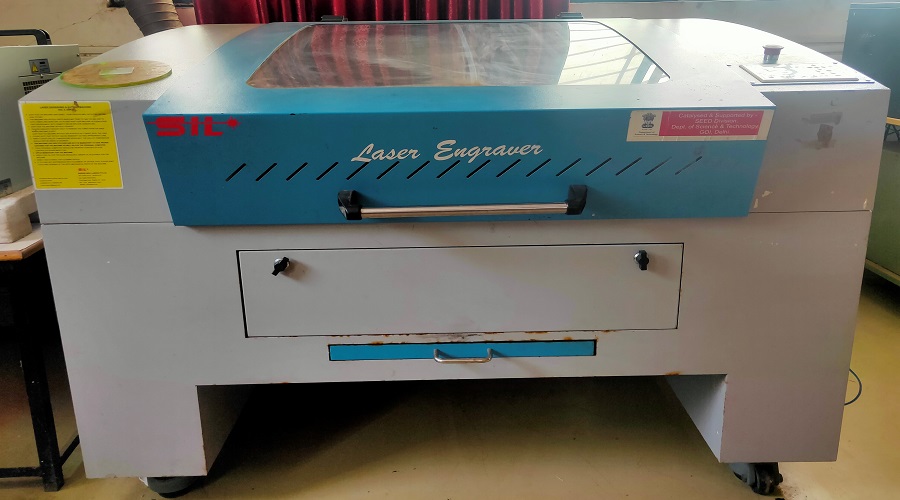
- SIL Laser Engraving - Cutting Machine
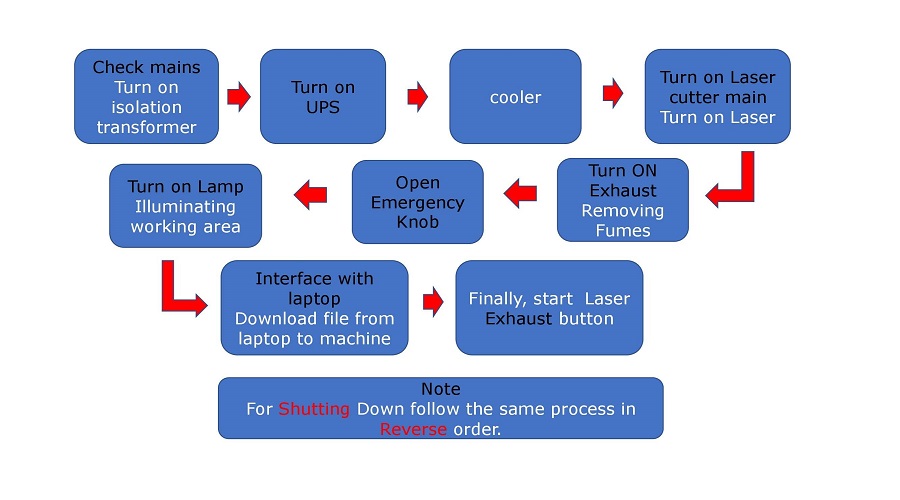
- Flow-Chart of the process of starting laser cutter
- Below are some images and videos taken while doing the final assembly.
- Final submitted image:

OK


